In Momenteo, the "Reports dashboard" is a tracking tool that provides an overview of your business's financial situation. It helps you monitor your income, expenses, cash flow, and tax obligations.
Its primary purpose is to help you quickly understand where your business stands financially, without needing to review every individual invoice or expense.
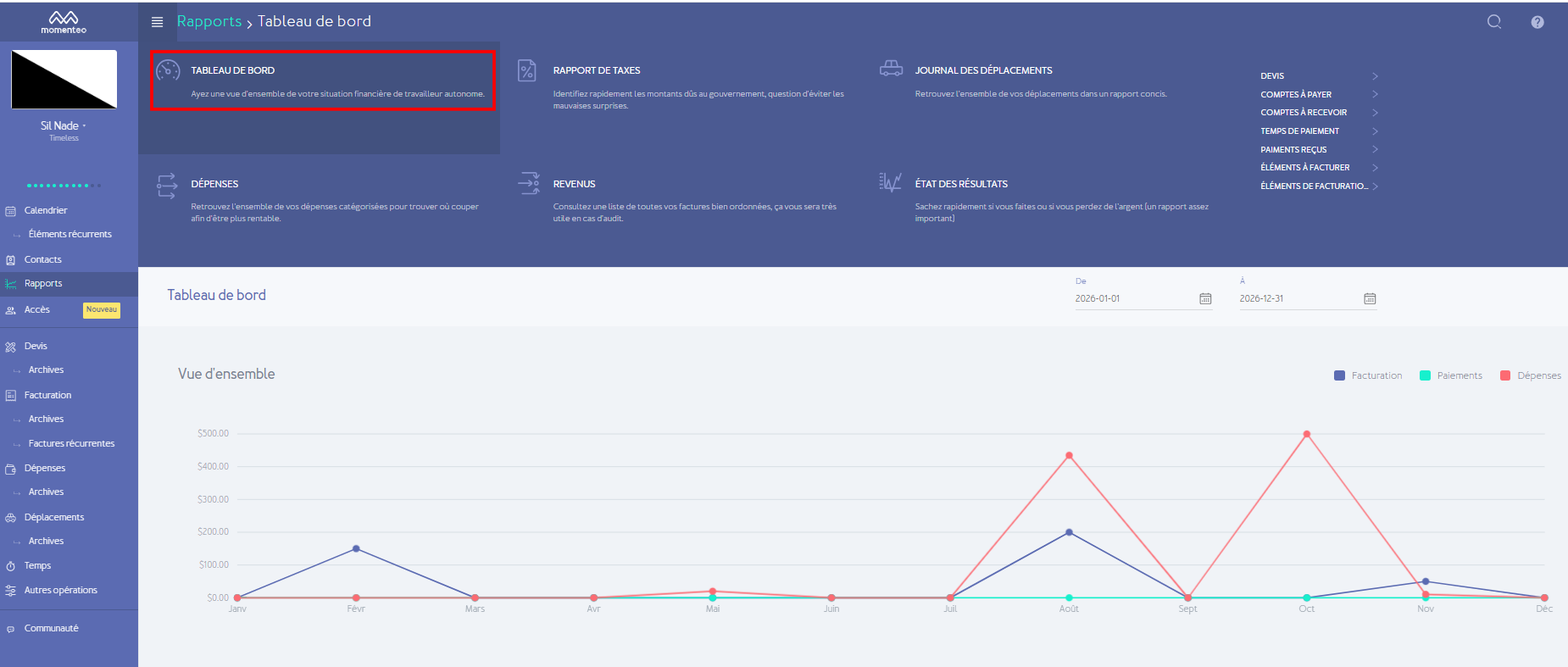
1. What is the Momenteo reports dashboard used for?
The reports dashboard displays four key indicators:
Net profit
Shows the net profit earned since the beginning of the year.
Available cash
Indicates the liquidity currently available to the business.
Taxes due
Shows the amount of tax that must be remitted to the government.
Bank balance
Displays the amount of money recorded in the business's financial accounts.
2. How do you use the dashboard features?
Here is how to make the most of the key indicators:
A. Reviewing net profit
- Check recorded income and expenses.
- Observe the net profit for the year to date.
- Assess whether the business is profitable.
B. Checking available cash
- Review available liquidity.
- Evaluate your ability to cover ongoing expenses.
- Plan for upcoming payments.
C. Checking taxes due
- Review taxes collected on sales.
- Check taxes paid on eligible expenses.
- Anticipate the amounts to be remitted to tax authorities.
D. Checking bank balances
- Review the amounts recorded in your financial accounts.
- Verify that financial transactions have been entered correctly.
- Compare balances against bank statements during reconciliation.
3. Other reports available in Momenteo
The reports dashboard complements the other reports found in the Reports section.
Here are the main reports and their purposes:
Report Purpose
Expenses Review expenses by category.
Tax Report Calculate taxes to be remitted.
Revenue View invoices and recorded revenue.
Travel Log Access a concise report of all your trips.
Income Statement Evaluate the company's profitability.
Quotes Track accepted and declined quotes.
Accounts Payable View outstanding expenses.
Accounts Receivable Identify expected client payments.
Payment Timeframe Analyze how long it takes for clients to pay.
Payments Received View collected payments.
Billable Items Identify the services that generate the most revenue.
Billing Items Total of billing items.
Learn more: Types of reports.